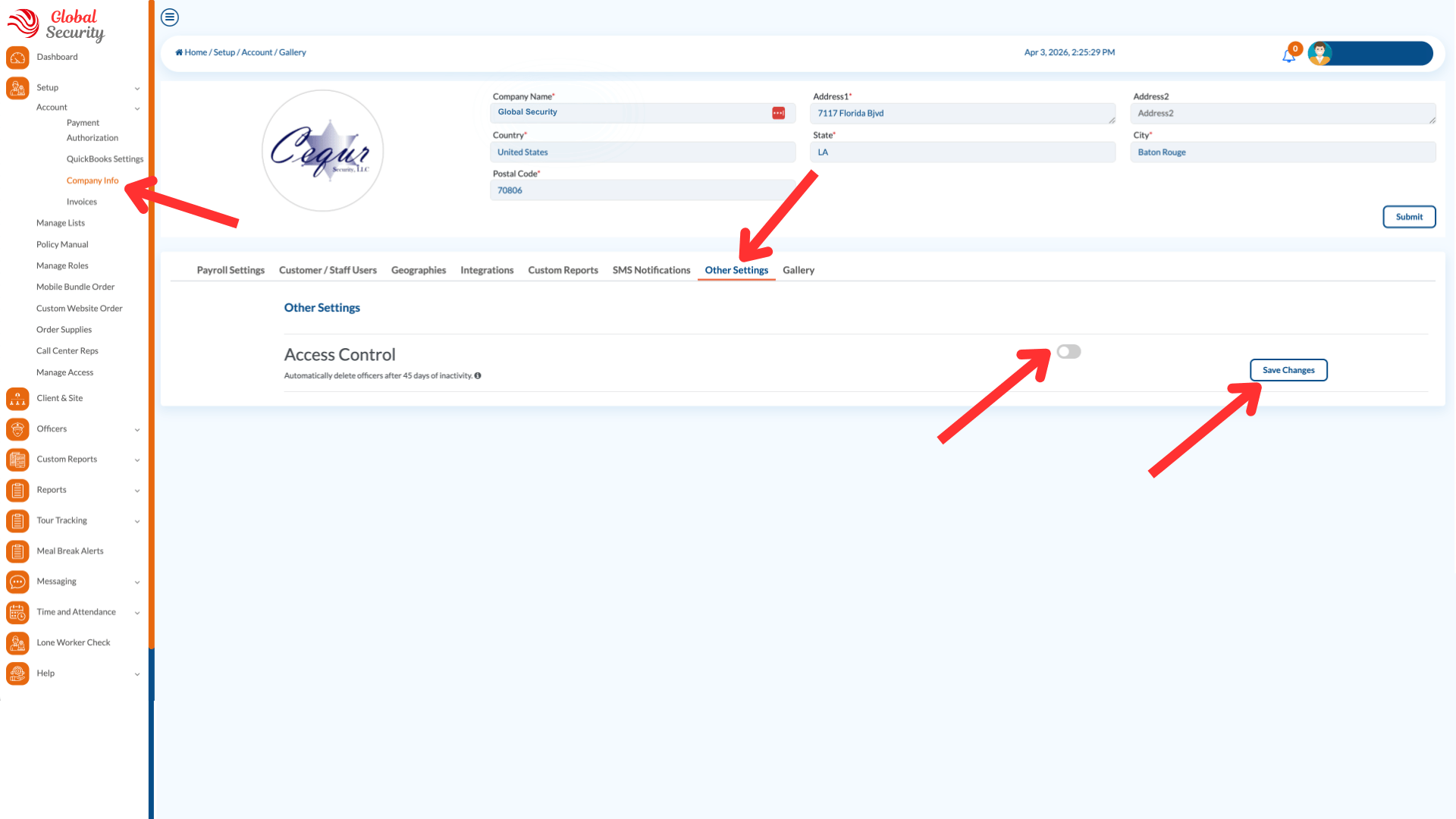
Because of the high turnover among security officers, ensuring that only current employees have access to your account is very important to us. We have created an Access Control feature that, when enabled, will automatically delete any officers who have not logged into your account in 45 days. To enable this feature:
- Go to Setup > Account > Company Info
- Go to the Other Settings Tab
- Enable the feature and Click Save.
Was this article helpful?
That’s Great!
Thank you for your feedback
Sorry! We couldn't be helpful
Thank you for your feedback
Feedback sent
We appreciate your effort and will try to fix the article