Mobile Patrol
Mobile Patrol allows security companies to verify mobile and vehicle patrols using GPS, geofencing, and QR code or NFC checkpoint scans. Officers can complete patrols directly from the OfficerApps mobile app while supervisors monitor activity in real time through the web portal.
Before You Begin
Before officers can use Mobile Patrol, the site must be configured as a Mobile Patrol site in the OfficerApps web portal.
Creating a New Mobile Patrol Site
- Navigate to Client & Sites.
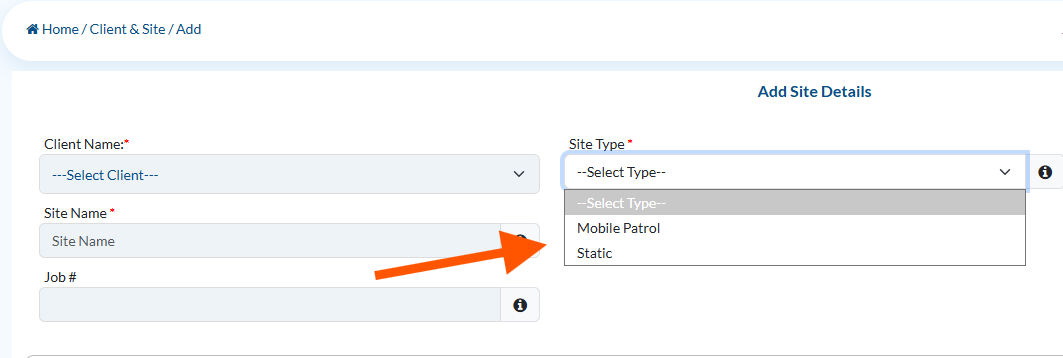
- Click Add New Site.
- Select the appropriate Client.
- Under Type, select Mobile Patrol.
- Choose Static if the site is not intended for mobile patrol operations.
- Enter the site's address.
- Configure the site's Geofence by drawing the patrol boundary around the property.
- Click Submit to save the new site.
Note: The site address is required so the system can create a geofence and verify officer arrivals using GPS.

Converting an Existing Site to Mobile Patrol
If the site already exists, you can convert it to a Mobile Patrol site without creating a new one.
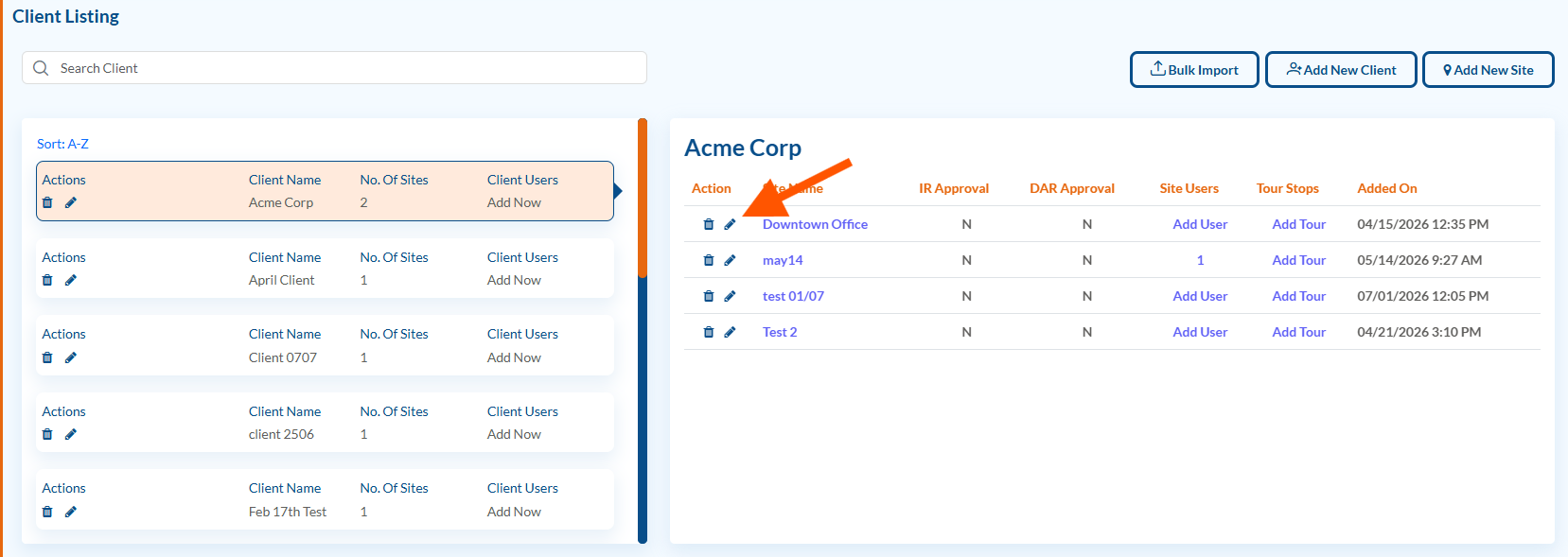
- Navigate to Client & Sites.
- Locate the site you want to modify.
- Click the Pencil (Edit) icon.
- Change the Type from Static to Mobile Patrol.
- Verify or update the site address if necessary.
- Configure or adjust the site's geofence as needed.
- Click Submit to save your changes.

Enable Mobile Patrol for the Officer
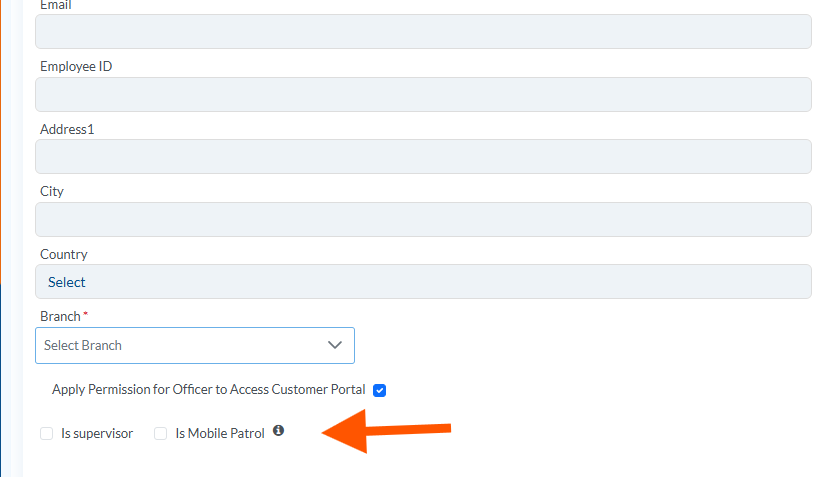
Before an officer can perform Mobile Patrols, the Is Mobile Patrol option must be enabled for their profile.
- Navigate to Officers > Manage Officers.
- Locate the officer you want to configure.
- Click the Pencil (Edit) icon.
- Scroll down to the Is Mobile Patrol checkbox.
- Check Is Mobile Patrol.
- Click Submit to save your changes.
Once Mobile Patrol is enabled, the officer will see a Start Mobile Patrol button in the Select Options menu of the OfficerApps mobile app.
Overview
Unlike static security sites where an officer remains at a single location, Mobile Patrol is designed for officers who travel between multiple properties or checkpoints during their shift.
Every patrol stop can be verified using:
- GPS location
- Geofence validation
- QR code or NFC tag scans
- Time-stamped patrol records
- Observation reports with photos, videos, and audio
This creates a complete audit trail of every patrol without requiring paper logs or manual check-ins.
Important: Officers will only see the Start Mobile Patrol option in the mobile app when they are assigned to a site configured as Mobile Patrol. Sites configured as Static will continue to follow the standard reporting workflow.
Was this article helpful?
That’s Great!
Thank you for your feedback
Sorry! We couldn't be helpful
Thank you for your feedback
Feedback sent
We appreciate your effort and will try to fix the article