OfficerApps automatically saves your officers' reports as they type, giving you a live view into report activity before anything is submitted. No setup is required — this works automatically for all officers on supported report types using the most up-to-date mobile app.
What This Means for You
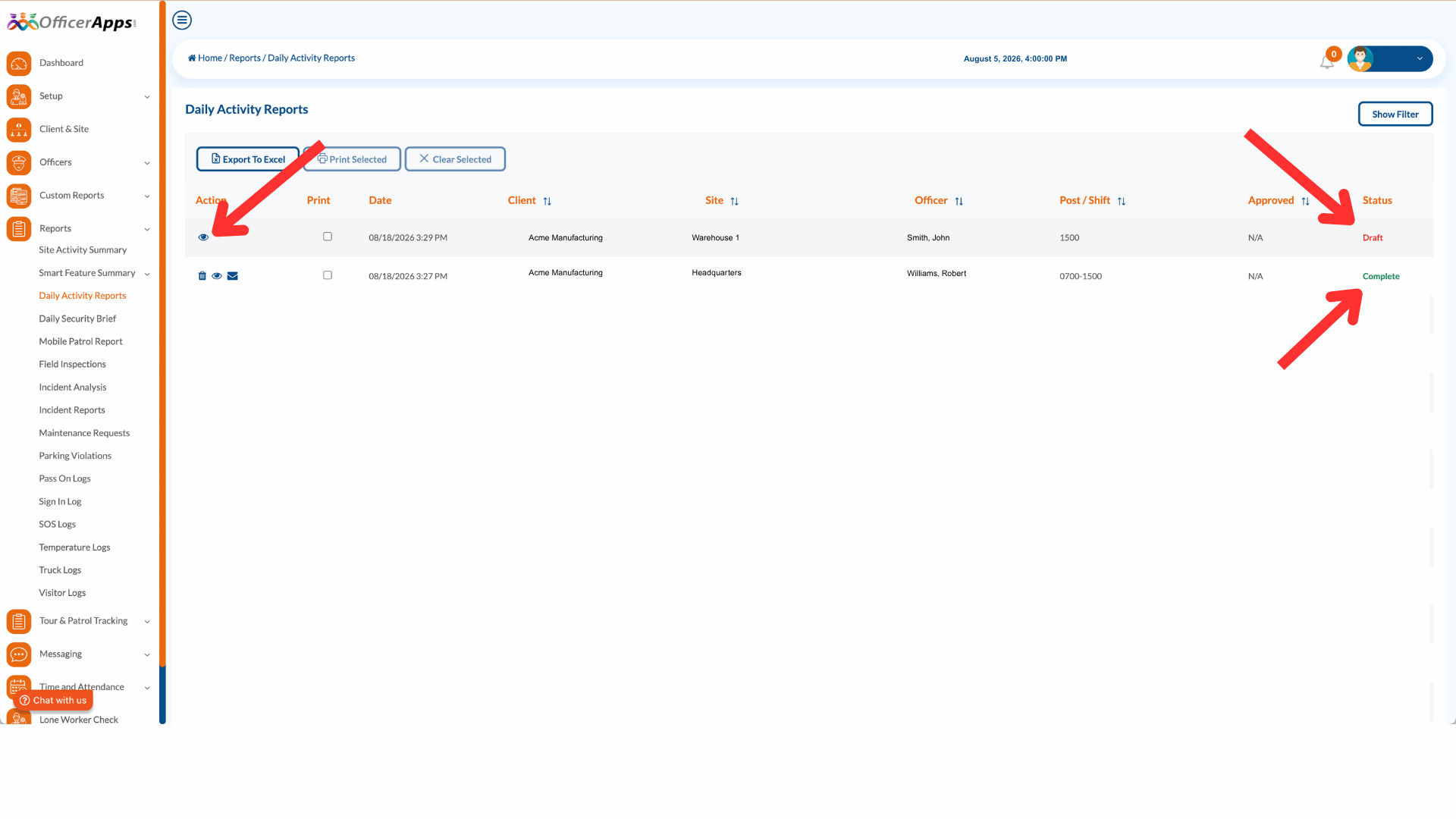
See reports as they're being written. As soon as an officer starts filling out a report, it appears in your report list with a Draft status. You can click the eye icon to open it and see exactly what they've entered in real time — giving you the opportunity to follow up with questions or provide guidance before the report is ever submitted.
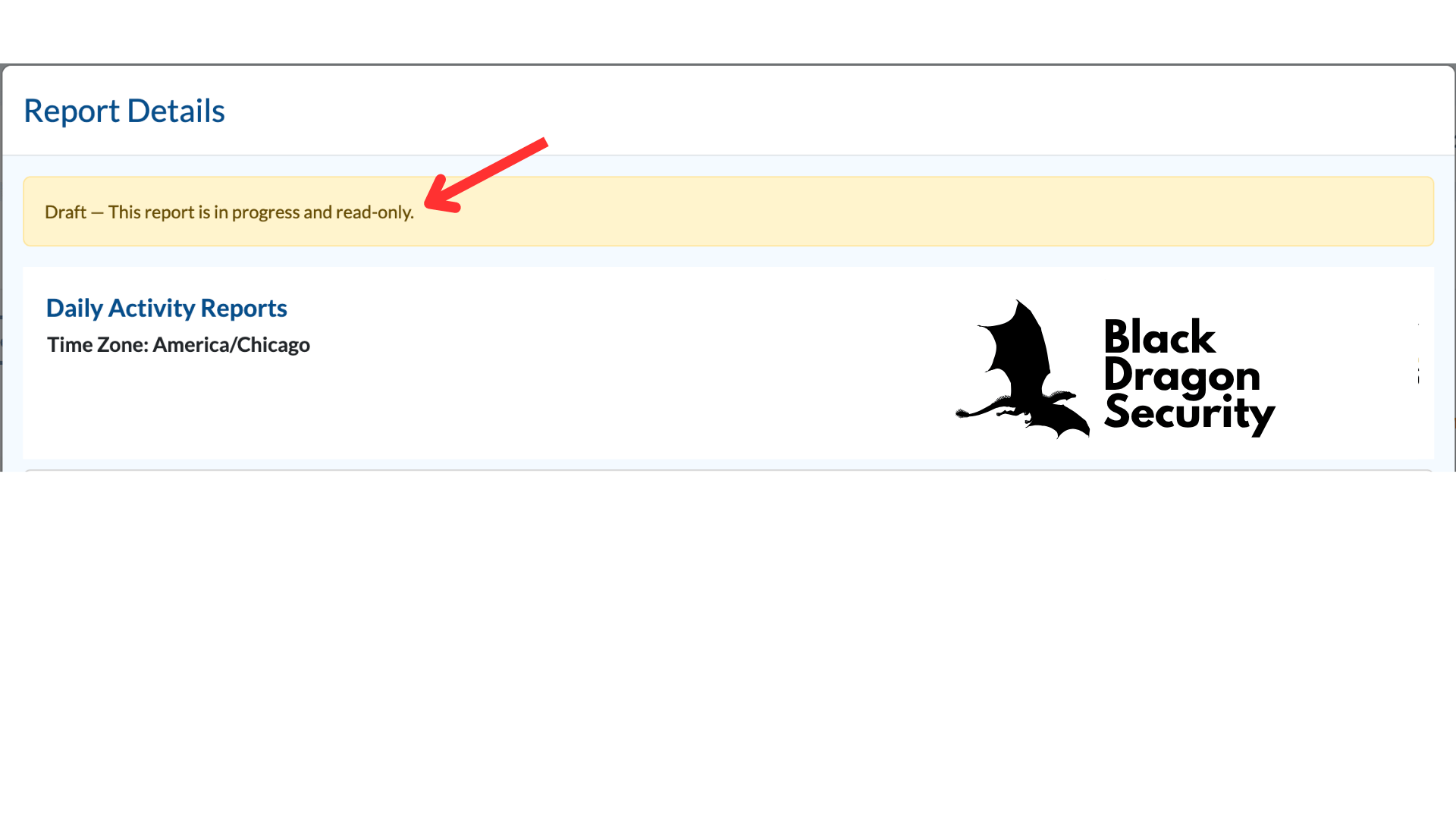
When you open a draft report, you'll see a banner at the top confirming it is still in progress. The report is read-only while the officer is working on it.
Reports are safer than ever. OfficerApps has always preserved report data locally on the officer's device if something goes wrong. Now that protection goes further — drafts are continuously synced to the server as the officer types. Even if an officer loses their device, switches phones, or their local data is cleared, their in-progress report is still safe and will reload automatically when they open the form for that site.
Faster submissions with real-time photo uploads. Photos and attachments are uploaded to the draft as soon as the officer adds them — not at submission time. By the time an officer taps Submit, the images are already on the server, making the final submission faster and less prone to failure on slow connections.
Supported Report Types
Draft auto-save is available for the following report types:
- Daily Activity Report (DAR)
- Incident Report
- Field Inspection Report
- Maintenance Report
- Parking Violation
- Pass-On Log
- Temperature Log
- Visitor Log
A Few Things to Know
- Drafts appear in your report list with a Draft status and update in real time as the officer works.
- A draft is created the moment an officer edits their first field or uploads an attachment — no action is required on your end.
- Draft reports are read-only in the admin portal while the officer is working on them.
- Auto-save requires an internet connection. If an officer is offline, their entries are preserved locally and will sync once connectivity is restored.
- Drafts are per officer, per site. If multiple officers are working at the same site, each officer's draft is tracked separately.
Was this article helpful?
That’s Great!
Thank you for your feedback
Sorry! We couldn't be helpful
Thank you for your feedback
Feedback sent
We appreciate your effort and will try to fix the article